 +1 302 486 0000
  +61 2 5129 0955
  +44 7828 573520
  +44 7828 573520
In the fast-paced world of digital marketing, understanding the performance of your outreach is crucial for making data-driven decisions that drive success. CRM Messaging’s analytics dashboard is designed as a powerful tool, providing comprehensive insights into every facet of your messaging campaigns. Here’s how you can leverage its features to refine your strategies and achieve higher ROI.
Which Key Metrics to Track?
CRM Messaging’s analytics dashboard offers a full overview of your messaging performance, including:
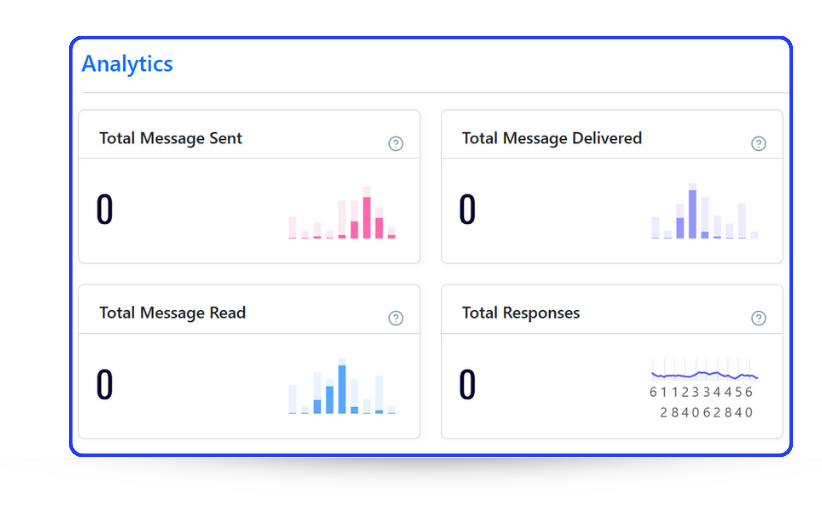
- Total Messages Sent: This metric helps you monitor the scale of your outreach to ensure that your campaigns are reaching your intended audience. Keeping an eye on the total messages sent allows you to gauge the volume of your communication efforts over time.
- Total Messages Delivered: This is an essential metric for understanding the reliability and reach of your campaigns. It tracks how many of your messages are successfully delivered to recipients, allowing you to identify potential delivery issues and optimize your sender strategy.
- Total Messages Read: To measure engagement, look at how many recipients have opened and read your messages. High read rates indicate that your content is resonating with your audience, while lower rates may prompt a review of your messaging style or content.
- Total Responses: This metric reveals how many recipients engage further by responding to your messages. High response rates are indicative of effective calls to action and relevant content, making this a critical metric for assessing campaign success.
Standout Features of Our Dashboard
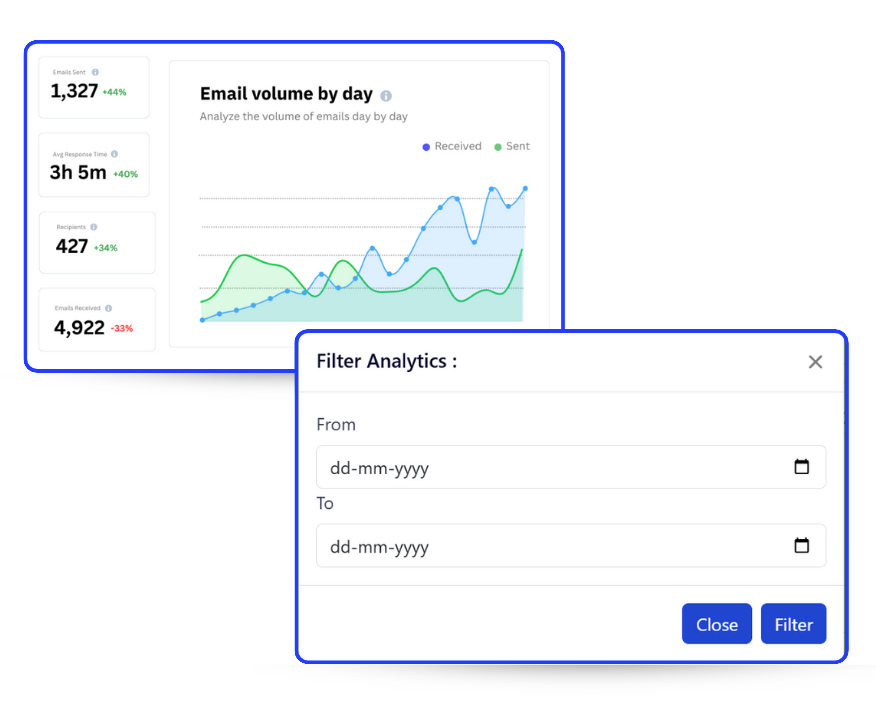
- Interactive Trend Graphs: Visual insights are invaluable, and CRM Messaging provides trend graphs that display data such as Message Volume Trends and Active Contacts Trends. These graphs enable you to monitor how your outreach evolves over time. For example, if you notice a spike in outgoing messages during a promotional period, you can correlate that with response rates and optimize future campaigns.
- Customizable Date Filters: A standout feature of CRM Messaging’s analytics is its customizable date filters. Whether you want to analyze a day, a week, a month, or an entire year, the date filters offer flexibility in reviewing campaign performance. This feature is particularly useful for comparing different campaign periods or measuring the success of seasonal promotions.
In-Depth Analytics Sections
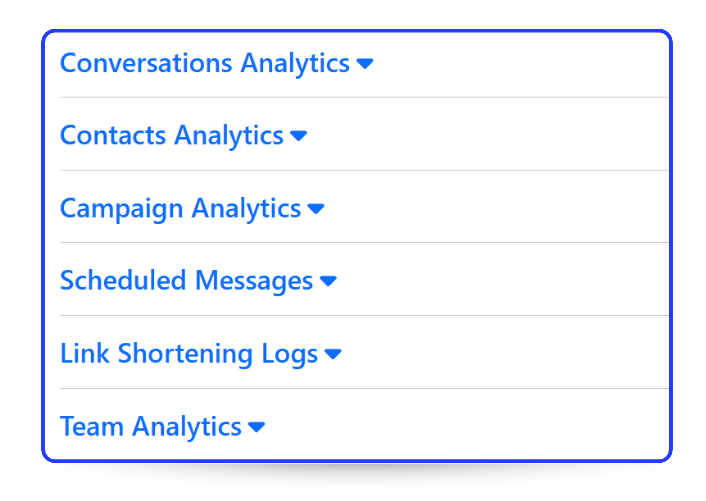
- Campaign Analytics: Gain a granular view of each campaign’s performance. With Campaign Analytics, you can determine which messages yielded the highest open and response rates, allowing you to tweak future messaging strategies for better engagement. Campaign Analytics also highlights the effectiveness of different channels, enabling you to allocate resources where they’re most effective.
- Contacts Analytics: This section provides detailed insights into your contact database. Learn about the engagement level of your contacts and identify patterns that may indicate when your audience is most responsive. Contacts Analytics helps you maintain a healthy database by highlighting inactive contacts that could be removed or re-engaged through targeted campaigns.
- Conversations and Team Analytics: The analytics dashboard includes insights into conversation history and team performance. For companies with multiple team members managing messaging campaigns, this feature is indispensable for ensuring consistent quality and productivity. Monitor response times and team output to keep everyone aligned with campaign goals.
How to Leverage These Insights for Better Campaigns
Understanding the analytics provided by CRM Messaging is only half the battle; applying these insights is where the real power lies. Here’s how to make the most of the dashboard:
- Optimize Campaign Performance: With real-time data at your fingertips, you can tweak ongoing campaigns to boost engagement and results. If you notice that certain days or times yield higher read and response rates, schedule future campaigns accordingly to maximize your ROI.
- Enhance Audience Targeting: Use contact interaction data to refine your segments and target high-interest recipients. Create specific campaigns targeting your most active users differently from those who have been inactive.
- Increase ROI: Better insights lead to smarter decisions, ensuring that you maximize your marketing budget and efforts.
- Improve Message Content: By analyzing what campaigns generate the highest responses, you can identify trends in your content that work—whether it’s the use of certain words, phrases, or formats—and apply them to future campaigns.
Conclusion
CRM Messaging’s analytics dashboard is more than just a tool; it’s your strategic partner in creating impactful, data-driven campaigns. By regularly reviewing your analytics and applying insights to your strategies, you can refine your approach, improve engagement, and drive better results. With features that cover every aspect of communication, from deliverability to response tracking, CRM Messaging provides the insights you need to elevate your marketing efforts.
By leveraging the full power of CRM Messaging’s analytics dashboard, you can transform raw data into actionable insights. Get in touch with our experts today to learn more: Click here to book a demo!