 +1 302 486 0000
  +61 2 5129 0955
  +44 7828 573520
  +44 7828 573520
WhatsApp isn’t just for texting friends anymore. With over 2 billion users globally, it’s become a vital business communication channel. But with great volume comes great complexity. Enter WhatsApp automation.
What is WhatsApp Automation?
WhatsApp automation allows businesses to send, receive, and respond to messages without manual intervention. Whether it’s responding instantly to customer queries or sending scheduled reminders, automation reduces workload, improves response time, and enhances customer experience.
Automation can include everything from welcome messages and lead capture to appointment bookings and transactional updates. With CRM Messaging, this can be done at scale with no-code simplicity and AI-powered intelligence. Businesses can streamline sales, support, and follow-up processes, all while maintaining a personal touch through conversational AI.
The Role of Bots in WhatsApp Automation
Bots are the brains behind WhatsApp automation. They operate through pre-programmed rules or AI to:
- Auto-reply to FAQs: Instantly respond to common questions like order status, refund policies, or store hours.
- Lead qualification: Engage users with preset questions to assess buying intent before routing them to human agents.
- Customer support: Deliver 24/7 assistance with intelligent bots that understand user needs.
- Appointment scheduling: Gather details and offer slots for seamless bookings.
- Broadcast messaging: Launch targeted campaigns with personalized content in just a few clicks.
- Post-purchase engagement: Follow up after sales with care instructions, warranty registration, or upsell offers.
With CRM Messaging, bots can be trained to understand natural language using NLP (Natural Language Processing) and dynamically adapt to different scenarios. They don’t just automate—they elevate the conversation, making interactions more human and helpful.
How WhatsApp Automation Works Technically
- WhatsApp Business API: This provides the framework to integrate messaging capabilities with third-party systems.
- CRM Integration: Merge customer data from your CRM to personalize every message, powered by real-time data sync.
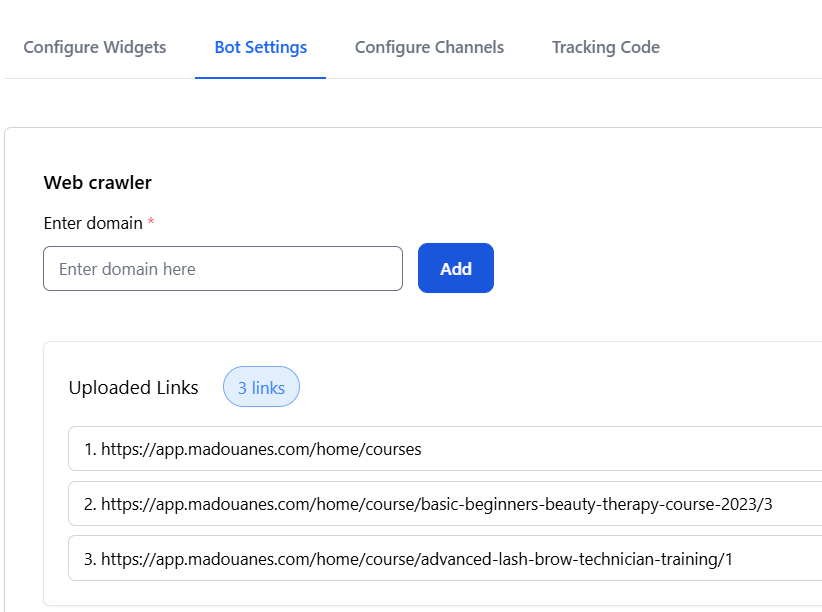
- Automation Platform: Use CRM Messaging’s visual flow builder to design conversation logic. No code, no complexity.
- Trigger-Based Messaging: Set custom triggers like “inactivity for 10 mins” or “user selects a product” to drive contextual responses.
- Voice Bot Integration: Use the same bot logic to handle voice interactions—ideal for inbound customer support or outbound sales calls.
- Unified Dashboard: Oversee live chats, bot workflows, voice calls, and performance metrics from one central interface.
- Multi-language Support: Deploy bots that speak your customer’s language using dynamic translation and localized flows.
- Secure Data Handling: CRM Messaging ensures end-to-end encryption and GDPR compliance to protect customer privacy.
How to Achieve WhatsApp Automation with CRM Messaging
CRM Messaging simplifies the entire process of WhatsApp automation:
- Step 1: Onboard with WhatsApp Business API
Skip the red tape. CRM Messaging fast-tracks your access and verifies your account. - Step 2: Design Your Bot
Choose a template or build from scratch. The flow builder offers drag-and-drop logic, rich media support, and multilingual configuration. - Step 3: Sync CRM & Customer Data
Automatically access customer profiles, preferences, and history. Personalize every touchpoint. - Step 4: Define Triggers & Conditions
Tailor automation based on customer actions, data inputs, or business rules in workflow. - Step 5: Launch Omnichannel Campaigns
Replicate your WhatsApp workflows across SMS, email, web chat, and voice calls for consistent brand experiences. - Step 6: Monitor, Analyze, and Optimize
Access real-time analytics and conversation insights. Refine your automation based on user behavior and performance metrics. - Step 7: Empower Teams with Hybrid Chat
Allow human agents to seamlessly step into conversations when needed while bots handle the routine queries.
Real Use Cases of WhatsApp Automation
- E-commerce: Product recommendations, abandoned cart nudges, delivery updates, return initiation.
- Healthcare: Pre-screening forms, test result delivery, health check-ins, vaccination reminders.
- Banking & Finance: Fraud alerts, EMI reminders, KYC document collection, portfolio updates.
- Travel: Real-time flight alerts, digital boarding passes, visa document tracking, feedback collection.
- Education: Class notifications, exam results, application tracking, assignment submissions.
- Logistics: Shipment tracking, proof of delivery, pickup coordination, delay notifications.
- Real Estate: Virtual tour scheduling, property information bots, lead scoring.
- Automotive: Service reminders, test drive scheduling, loan approval tracking.
Benefits of WhatsApp Automation with CRM Messaging
- 24/7 instant engagement
- Integrated multichannel support
- Reduced human dependency
- Higher conversion and retention
- Real-time customer data sync
- Scalable bot architecture
- Actionable analytics and reporting
- Dynamic personalization at scale
- Customizable compliance workflows
- Future-ready communication infrastructure
Expert Tips for Maximizing WhatsApp Automation
- Start with your FAQs: Identify top queries and build a bot that handles them flawlessly.
- Layer personalization: Use dynamic fields like names, preferences, and order history to craft messages that feel one-on-one.
- Optimize response time: Set intelligent fallback logic—route high-priority chats to live agents fast.
- Test and iterate: Use A/B testing for bot scripts and track what converts best.
- Train your team: Equip your human agents to work with the bots, not around them.
Final Thoughts
WhatsApp automation is no longer optional—it’s mission-critical. It empowers brands to meet customers where they are, respond instantly, and drive outcomes. CRM Messaging combines AI, automation, and omnichannel reach in one intuitive platform.
Whether you’re looking to scale support, accelerate sales, or boost engagement, CRM Messaging gives you the tools to do it effortlessly. With the right automation in place, your business is no longer reacting—it’s leading.
Start smart. Start automated. Start with CRM Messaging.y:- Get a Demo Now!